

You must log in or register to comment.
People seem to be getting dumber by the day and I don’t know what to do about it.
Until version 8.8.7 of Notepad++, the developer used a self-signed certificate, which is available in the Github source code. This made it possible to create manipulated updates and push them onto victims, as binaries signed this way cause a warning „Unknown Publisher“. Since v8.8.7, however, Notepad++ relies on a legitimate GlobalSign certificate, and installing its own Notepad++ root certificate is no longer necessary – if such a warning pops up, users should be alarmed.
I don’t understand how this is relevant. Unless the attacker has either
(a) somehow acquired the private key of the cert
(b) replaced the cert delivered through the installer
A self signed cert isn’t any worse. Both of these attack vectors still work with a public root CA. Or maybe notepad++ just forgot to validate the self signed cert against the one they delivered through their sources, just accepting any non-expired cert? That’s just a bug.
I don’t get how this was exploited in practise.
Even if the signatures on the downloaded packages weren’t checked properly, how would you modify the content of the XML file returned from https://notepad-plus-plus.org/update/getDownloadUrl.php?version=8.8.0 ? For that you’d have to break or MITM the TLS too, no?
The usual case for TLS MITM is when a company decides DPI is more important than E2E encryption and they terminate all TLS on the firewall, but if the firewall is compromised there would be much easier avenues of entry other than notepad++
Maybe it was used as some sort of privilege escalation? E.g. NP++ downloads an XML file to %TEMP%, some already present malware modifies it, then GUP downloads a payload and executes it with administrator permissions.
tl;dr A network operator can perform a MitM attack on the built-in updater’s call-out checking for updates by faking the Notepad++ update website, telling it a new version is available at <malware URL> and then downloading and running the malware
It requires a malicious network operator, or preexisting malware on the host.
I would doubt that the average self-updating Windows program has better security.
https://notepad-plus-plus.org/news/v889-released/
Since you have to opt into tracking to read the article (which I think is illegal) here’s the source.
One of the few moments safari is the easier option…
-tap hide distracting items -tap the bullshit banner -it blows away dramatically
we share data with our 188 partners
That’s a no from me dawg
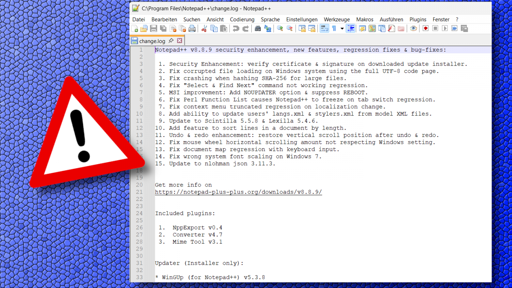
The updater integrated into Notepad++ has allowed itself to be infiltrated by malware, which has been installed on some PCs. The developer of the powerful open-source text editor is responding with an update to Notepad++ v8.8.9. Users currently have to perform the update manually.
In a news post on the Notepad++ website, developer Don Ho explains that “some security experts have reported incidents where internet traffic affecting Notepad++ was intercepted.” According to the post, investigations have revealed that traffic from the Notepad++ updater WinGUp “was occasionally redirected to malicious servers, leading to the download of compromised executable files.” IT security researcher Kevin Beaumont reports that at least three organizations “with interests in South Asia” have been targeted in this way.
As Beaumont explains, the updater uses a version check that queries the URL “https://notepad-plus-plus.org/update/getDownloadUrl.php” and evaluates an XML file delivered through it. The updater uses the download URL listed in the XML file, saves the file in the %TEMP% folder, and executes it. Anyone who can intercept and manipulate this traffic can therefore change the download URL. Until version 8.8.7 of Notepad++, the developer used a self-signed certificate, which is available in the Github source code. This made it possible to create manipulated updates and push them onto victims. Since v8.8.7, however, Notepad++ relies on a legitimate GlobalSign certificate, and installing its own Notepad++ root certificate is no longer necessary.
Remedy through updates
With Notepad++ v8.8.8, the WinGUp updater now forces github.com as the download source. Version 8.8.9, released overnight on Wednesday, further hardens Notepad++ and WinGUp so that they correctly check the signature and certificates of downloaded installers during the update process. If the check fails, the update process is aborted. Don Ho notes that investigations are ongoing to determine how the traffic hijacking occurred in the observed cases.
Kevin Beaumont also lists some indicators of compromise (IOCs). For example, connections from “gup.exe” to URLs other than “notepad-plus-plus.org”, “github.com”, and “release-assets.githubusercontent.com” are suspicious. Likewise, attention should be paid if “gup.exe” starts unusual processes – only “explorer.exe” and “npp*” related Notepad++ installers should run under it, which since versions 8.8.8 are also signed with a GlobalSign certificate. After the observed attacks, files named “update.exe” or “AutoUpdater.exe” (Notepad++ itself does not use these names at all) were apparently also found in the user’s TEMP directory, from which “gup.exe” downloaded and executed the updaters.
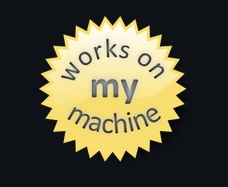
Notepad++ v8.8.8 currently does not find the update.
Beaumont recommends updating to at least Notepad++ v8.8.8. However, version 8.8.9 is even further hardened. The integrated updater from Notepad++ v8.8.8 does not yet find the update, and “winget” also does not currently find a newer software version. However, the latest version is available as a manual download on the Notepad++ website.
Notepad++ is frequently targeted by malicious actors because the software is popular and widely used. Last year, for example, Don Ho asked for help to get rid of a “parasitic website” that was creeping into the original Notepad++ site in Google search results. It had unscrupulous intentions. In general, fake sites often appear in search results offering virus-infected files.
(dmk)
This article was originally published inGerman. It was translated with technical assistance and editorially reviewed before publication.
Don’t whine about data sharing, just open it in a non-javascript browser. Perfectly readable.
Yeah, don’t complain about shitty things, just work around them.
This is a tech sub. People should be capable to know their shit around these well known annoyances. Now imagine US sites that have much fewer regulations. Don’t you ever again browse, or do you just click on ‘accept all’?
Just because someone is tech knowledgeable, doesn’t mean they know everything about tech.
It sucks that it’s impossible to complain about things and work around them. Sadly we’re trapped 😔
Mate you’re the only one whining. I got around the cookie banner just fine, and reposted here for others.
Until version 8.8.7 of Notepad++, the developer used a self-signed certificate, which is available in the Github source code.
That doesn’t sound wise.
This is the explanation for why:
https://notepad-plus-plus.org/news/v883-self-signed-certificate/
2025-07-09 **“Sometimes, when one door closes (lack of code signing) in life, another one opens (vulnerability) .”\

The sentence sumarizes well the situation in the previous version, 8.8.2.
There were - and still are - many false-positives reported in the previous version v8.8.2, by the antivirus software due to the absence of Windows code signing certificate.
1. ~~Double-click the certificate, it may tell you it’s invalid, ignore that and click: \*\*“Install Certificate..”~~\*\*~~.~~ 2. ~~In the Certificate Import Wizard, select \*\*“Local Machine”~~**\~\~, then click \~\~**~~Next~~\*\*~~.~~ 3. ~~If prompted by UAC (optional, depending on admin Previleges), click ~~**~~Yes~~**~~.~~ 4. ~~Choose \*\*“Place all certificates in the following store”~~**\~\~, then browse and select \~\~**~~“Trusted Root Certification Authorities”~~**\~\~. Click \~\~**~~Next~~\*\*~~.~~ 5. ~~On the final page of the wizard, click~~ **~~Finish~~** ~~to complete the installation.For detailed instructions, see Notepad++ User Manual.~~ We’re still trying to obtain a certificate issued by conventional Certificate Authorities, for a better user experience. But let’s be honest: it’s probably not happening. Notepad++ isn’t a business - it’s certainly not an enterprise - and apparently, that makes a popular open-source project invisible to their gatekeeping standards. If the “gatekeepers” won’t issue a certificate under the name we deserve - so be it. At least it spares us from wasting time and energy on a frustrting process that demands we [beg for a new certificate every 3 years](https://notepad-plus-plus.org/news/v764-released/). The Notepad++ Root Certificate may not carry their approval, but it leads us to freedom. ***Edit (2025-12-03): Starting with v8.8.7, Notepad++ binaries - including the installer - are digitally signed using a legitimate certificate issued by GlobalSign. As a result, Installation of the Notepad++ root certificate is no longer required. We recommend that users who have previously installed the root certificate remove it.***I give up trying to fix the formatting. I had it right, but then adding the image, fucked everything up again, and now blorp crashes when I try to edit it again.
I guess this will be one of the rare cases when you do have to read the article in order to be informed instead of just the comments.
So the private key was left in the Github source code and nobody caught it? Or was it the public key? (which makes this statement way less impactful)
Private key probably. Only the public key is not enough to sign the package.
OP, if people have to do the work for you in posting sources, consider this a learning lesson as to what not to do.
The updater for the open-source editor Notepad++ has installed malware on WINDOWS PCs. The Linux ecosystem doesn’t allow for this kind of network attack because of signing.
np++ isn’t on Linux I thought
There are quite a lot of packages running it through wine, on AUR, as snap/flatpak, and probably more I didn’t see in my cursory search. So the question is does this exploit work on wine I guess.
yeah there was ‘notepadqq’, but its not the same as ++.
Not accessible without accepting advertising cookies, like Healthline.
Zap the overlay with uBlock
But yeah fuck the author and everyone else using the “pay or be tracked” scheme. If you want to show ads to non subscribers, fine. But there’s no reason to require tracking users to do so - if non-tracked ads are less profitable, take it up with the ad networks.
Agreed in all accounts. I do use ublock on my laptop but not on mobile.
It’s a bit concerning that neither the article or Notepad++s blog post say what the affected version is, or what the minimum safe version is.
I’m assuming the minimum version is 8.8.7 since that’s when they moved away from self signed certs, but it would be nice to hear it from the horse’s mouth.
Did you read it? https://notepad-plus-plus.org/news/v889-released/
Yes, I did.
8.8.9 is the fully hardened version, but the 8.8.7 update should have fixed the vulnerability since from what I can tell the publicly available self signed cert was being used for the exploit.
This isn’t the first time Notepad++ was compromised, if I recall correctly, the first time was by a CIA backdoor.
https://notepad-plus-plus.org/news/v733-fix-cia-hacking-npp-issue/
That doesn’t really have anything to do with notepad++ in particular though. I don’t think it’s typical for programs to be running checks on the integrity of dll files.
I just updated through Ninite and it went to 8.8.9.
Huh. Notepad++ is only for Windows?
I used to use EditPad when I used Windows. There was something that royally pissed me off about it, but I can’t recall now. I know there was kind of a shenanigans with the name. EditPad Lite was free and there was an EditPad Pro, but IIRC the free one was just fine for most people (and I do believe in paying for software you enjoy using). I dunno, it did something, but now, mostly I just remember it being very good.
I have a Mac now and we have TextEdit. It’s never made me want more from a notepad app. Notepad used to suck in Windows. We have it at work and I quite like it. It has Markdown support, but you can disable that if you want. It also has Copilot AI in it, but that can also be disabled. It has Dark Mode which is pretty much all I wanted from my notepad app. I actually quite like my Windows 11 setup at work, but I like my Macs at home a bit better. I also know I don’t have much room to criticise Windows if I’m not running Linux, and there’s no point in bragging about Linux from a Mint or Ubuntu installation; these days you kinda have to use Arch (which you built from source) to really call yourself a Linux user. The rest of us are just plebeians.
Of course if you’re using N++ as an IDE, that’s different. I don’t even want line numbers (visual distraction).







](safari-reader://www.heise.de/imgs/18/4/9/9/3/6/1/8/2025-12-10-Notepad__-8.8.8-Updater_findet_kein_Update-8f3a2396ab56758a.png)